THE PROJECT
COUSE
COUSE
Plan Less. Experience More.
Eve is a mobile app designed to transform how students experience academic festivals by giving them instant access to real-time event information, artist lineups, schedules, and venue details: all in one place.
INDUSTRY
Academic Events
DATE
May 2019
ROLE
UI/UX Designer
Challenge
The problem started with a basic question: how can we make it easier for students to interact with academic festivals and reduce the confusion caused by scattered information? Students often shared they missed important events, had trouble finding venues, and got inconsistent updates from different platforms.
Solution
Eve App was created to help students easily follow academic festivals. Unlike traditional event platforms that spread information across websites, social media, and group chats, Eve brings together event schedules, artist lineups, venue details, ticketing, and real-time updates in a single, easy-to-use app.
My role as UI/UX Designer was to define the app concept, design the user experience, and develop a cohesive visual identity from the ground up, ensuring that students could effortlessly discover, plan, and attend events.
Research and Insights
To validate the problem and shape the solution, we conducted user research and market analysis. This included interviews with students who frequently attended academic festivals, as well as competitive analysis of existing event apps and platforms.
Discovery
Key insights showed that students needed a single place to quickly see event schedules, check tickets, and get real-time updates without switching between apps. They also wanted to filter events by interest or time, and preferred simple, clear designs over cluttered layouts.
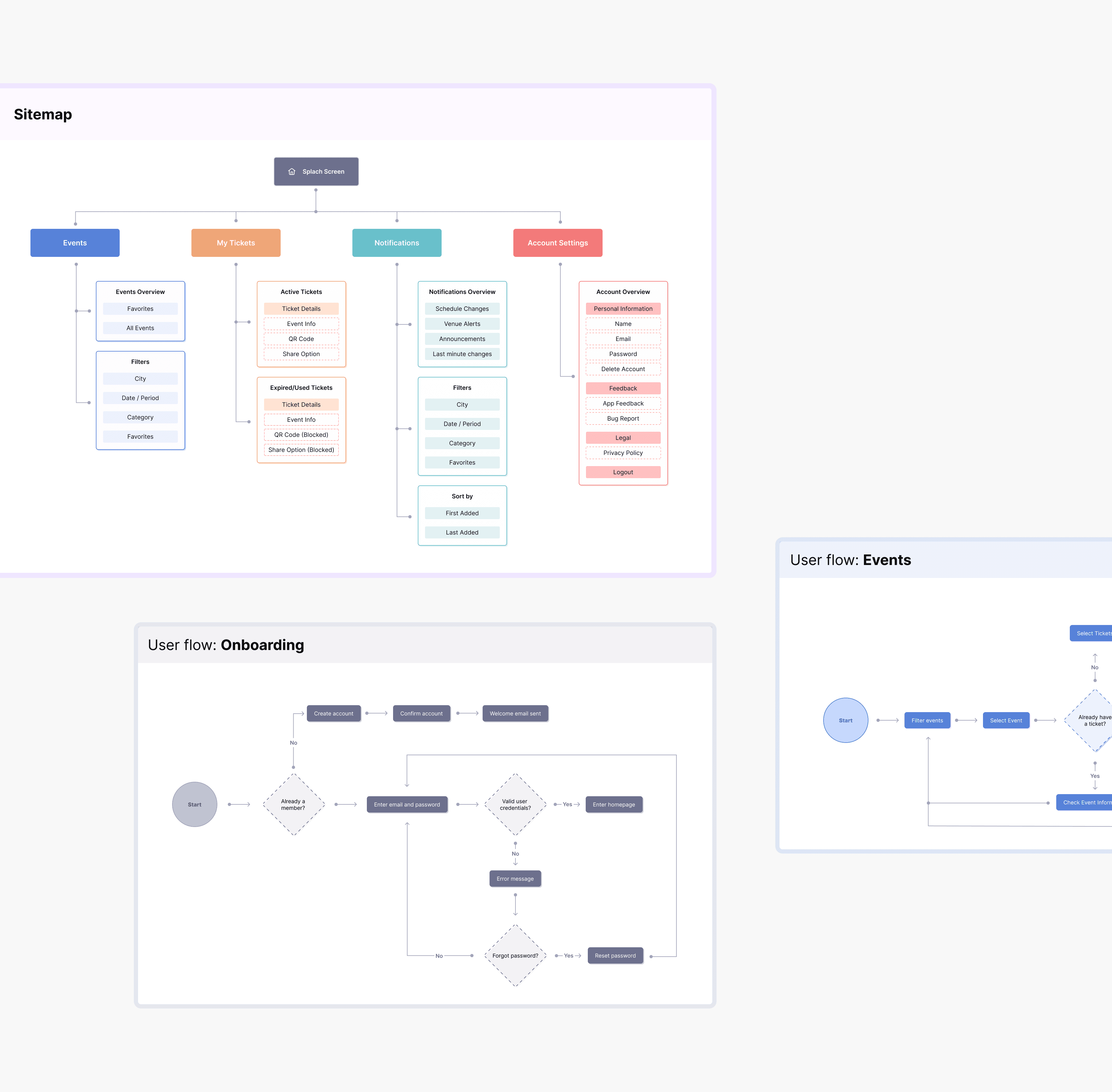
Based on these insights, we developed a sitemap and user flows to define the tasks that the app would need to address.
Wireframes & Prototyping
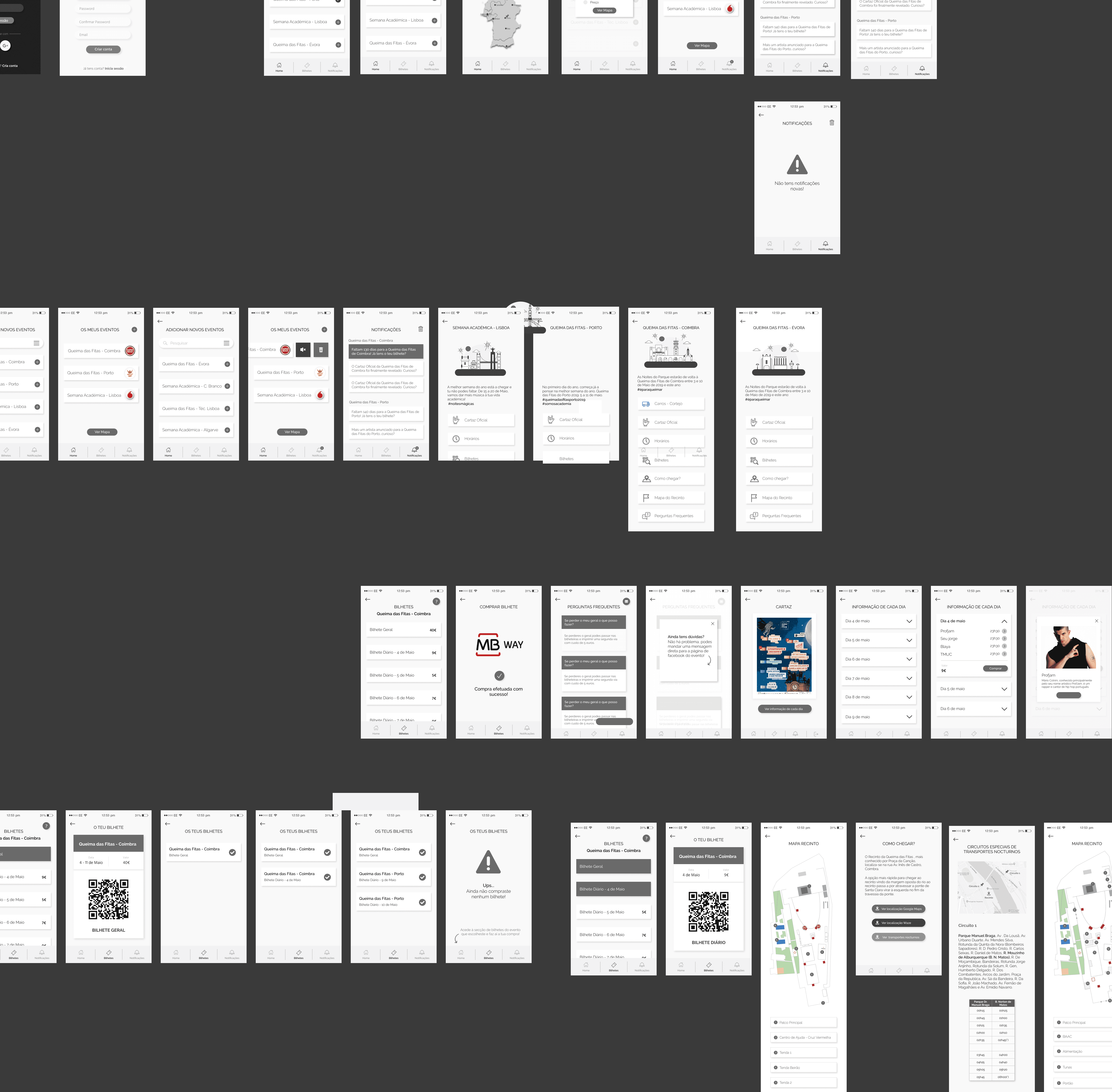
With research insights in hand, we started with low-fidelity wireframes to plan the app’s structure, navigation, and main flows, focusing on testing how it worked before worrying about visuals.
Once the experience felt right, we created high-fidelity interactive prototypes in Figma. Here, we defined the app’s visual style: colors, typography, icons, and small animations, to build a cohesive interface that guides users naturally through the app.
Testing and Outcome
Through usability testing with students, we identified and refined issues in navigation, labels, and button placement, iterating until interactions felt intuitive and effortless.
After all this process, the result was the EVE Mobile App’s successful launch at the University of Coimbra’s Queimas das Fitas festival, where it achieved high adoption and engagement.
Features
Events
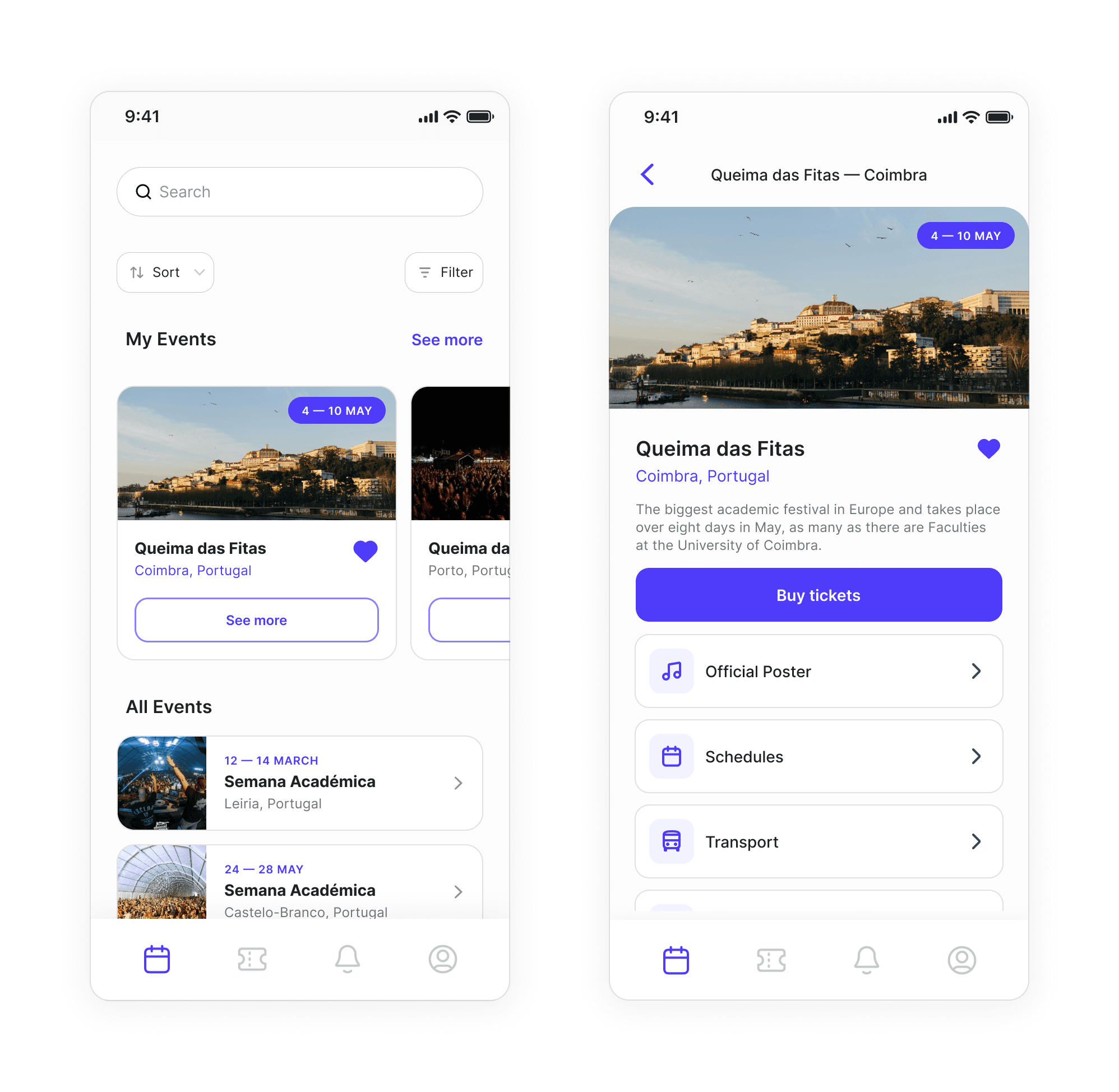
When opening the app, users are taken to the Events tab, where they can see an overview of all available events. They can browse, check their favorites, or use filters like city and time to find events that interest them quickly.
The design focuses on clarity and hierarchy. The cards show key details: name, date, and thumbnail, with visual cues highlighting favorites and featured events, making everything easy to browse and understand.
Purchase
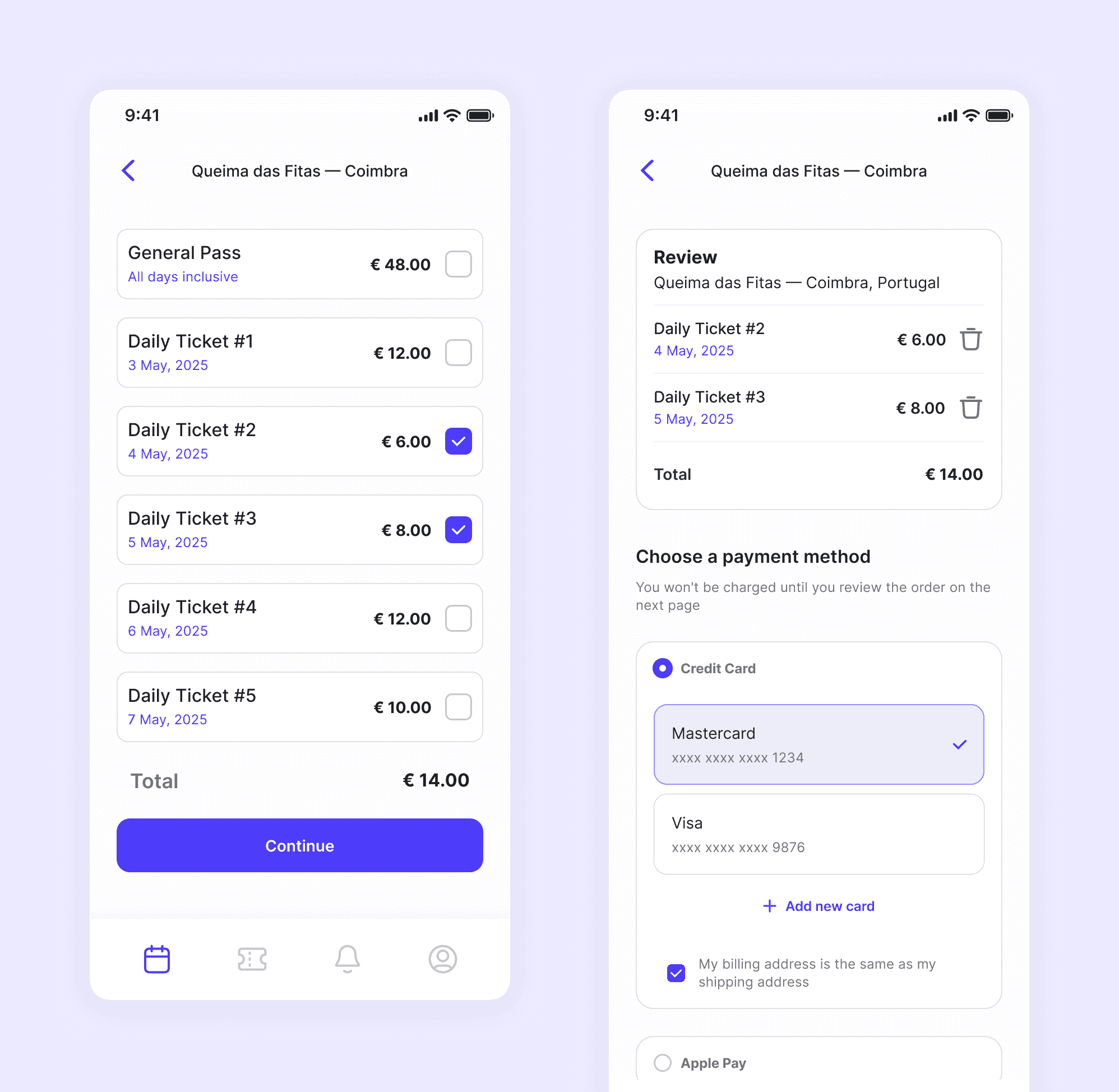
We kept the purchase flow simple: select, quantify, and pay. The goal was to keep users focused on completing their purchase with the fewest possible steps and minimal typing, because every extra field or distraction increases the chance they’ll abandon the flow.
For entering card information, we followed familiar patterns used by most apps, so users would instantly recognize the process and feel confident and secure while completing their payment.
Tickets
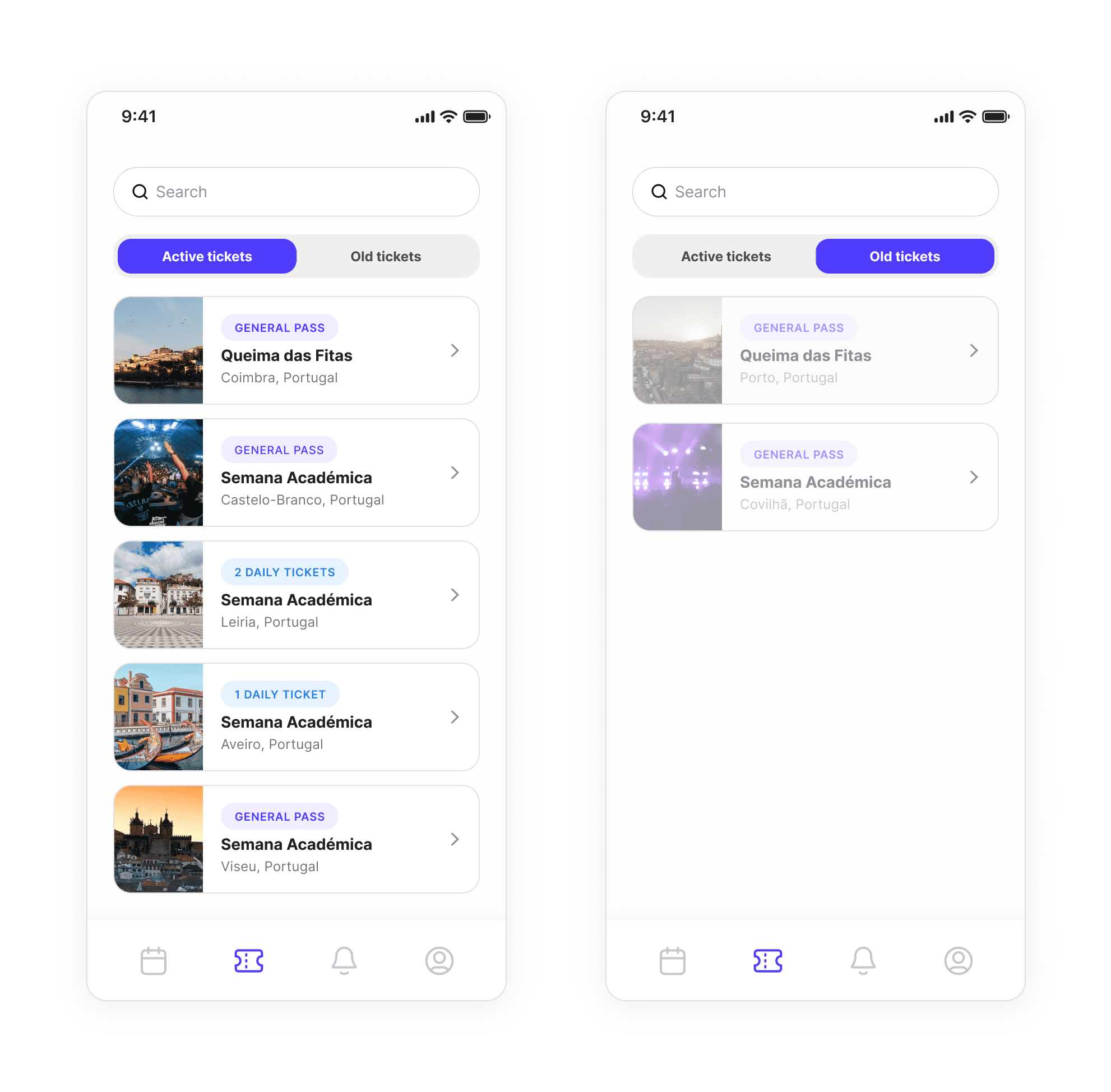
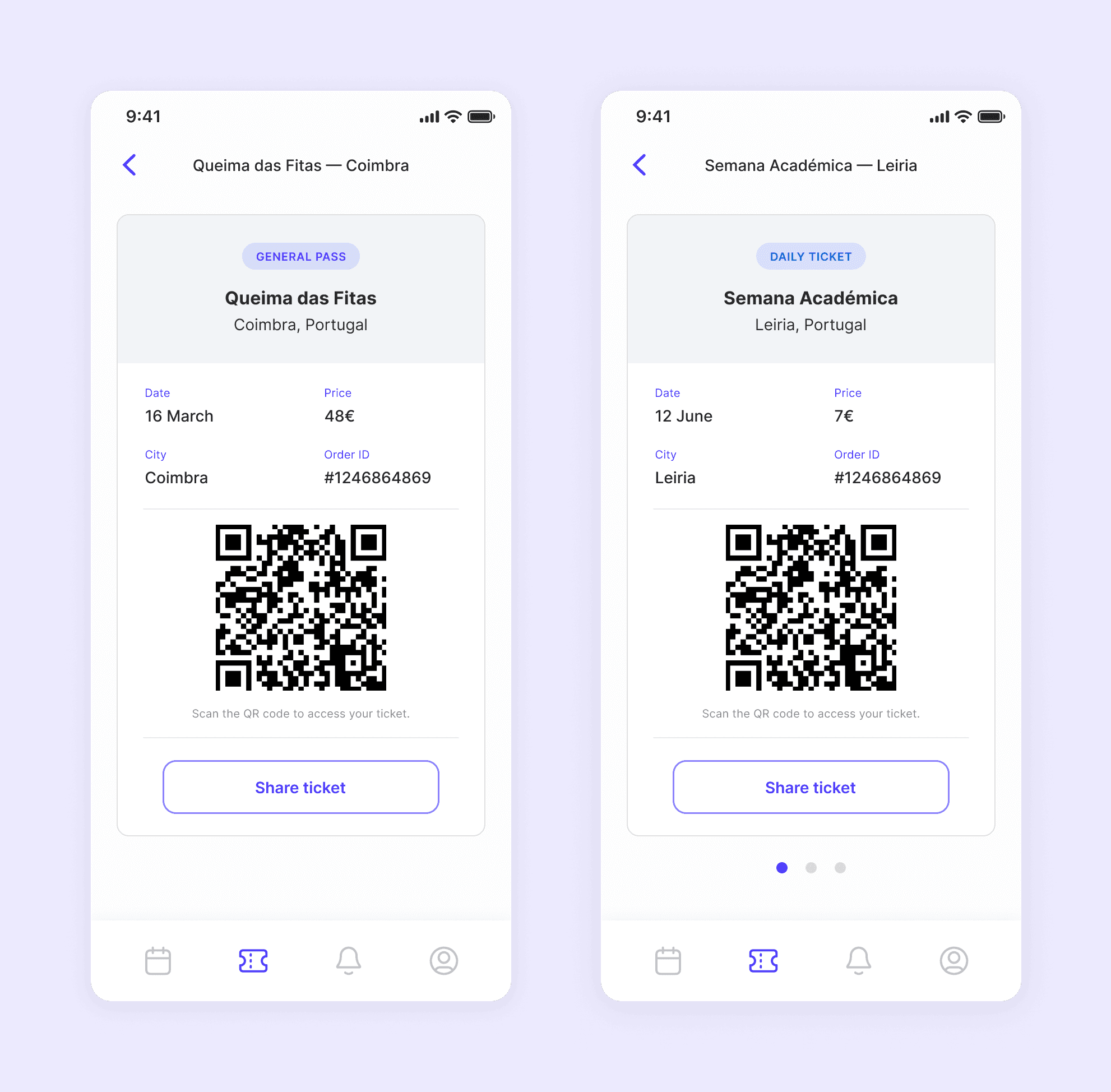
After buying tickets, users can see them organized by event. If they have multiple tickets for the same event, like daily passes, these are grouped together. Active and past events are separated into tabs to make it easy to find what they need.
The design keeps navigation simple, allowing users to move between sections and quickly access their tickets.
QR Code
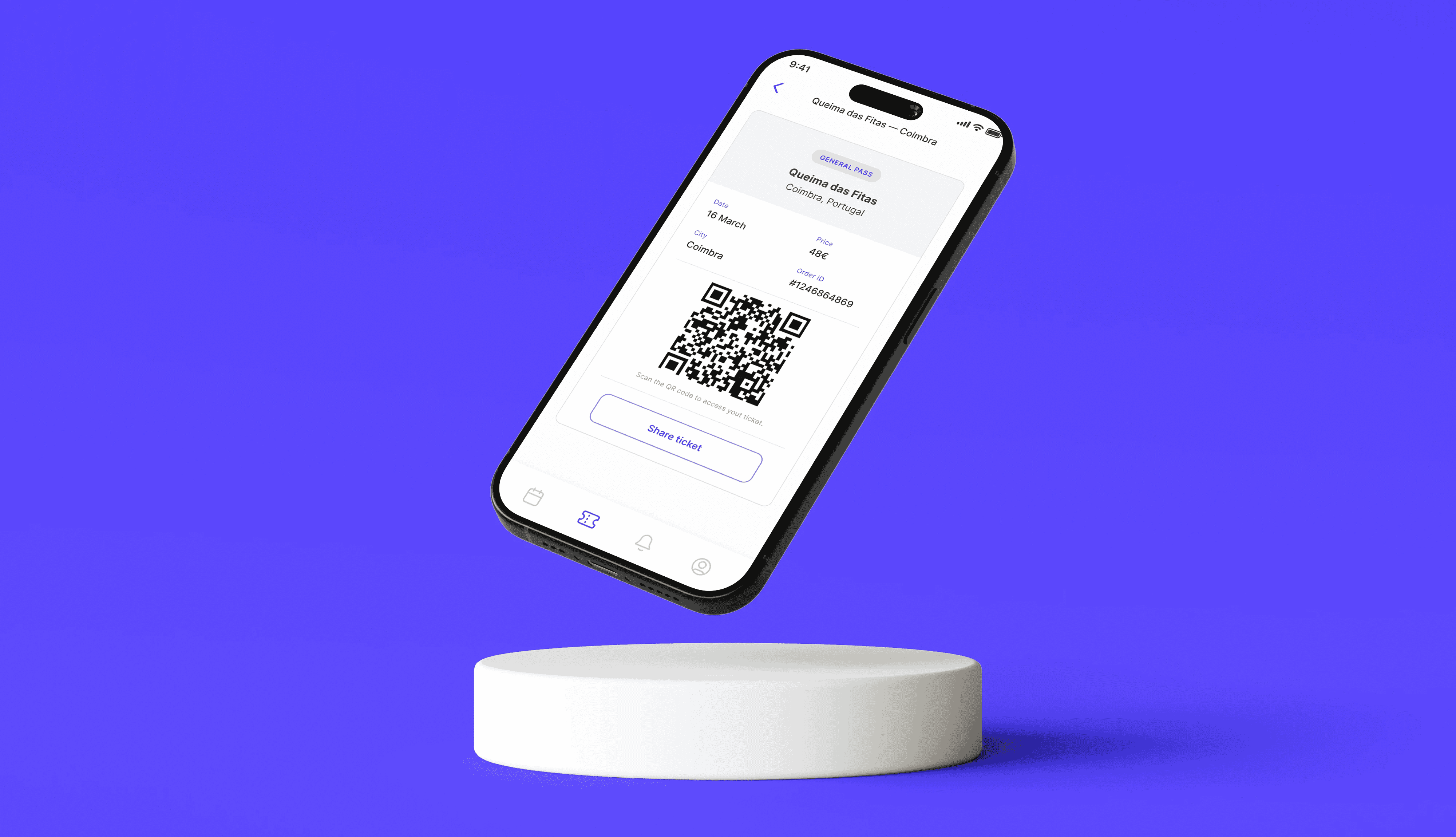
Each ticket displays different labels based on its type: general pass or daily ticket, and shows key details like city, day, ticket ID, and a QR code. Users can also share tickets with friends.
One key design goal was to make sharing quick and easy, addressing a common pain point: users running out of battery before entering the festival.
Updates
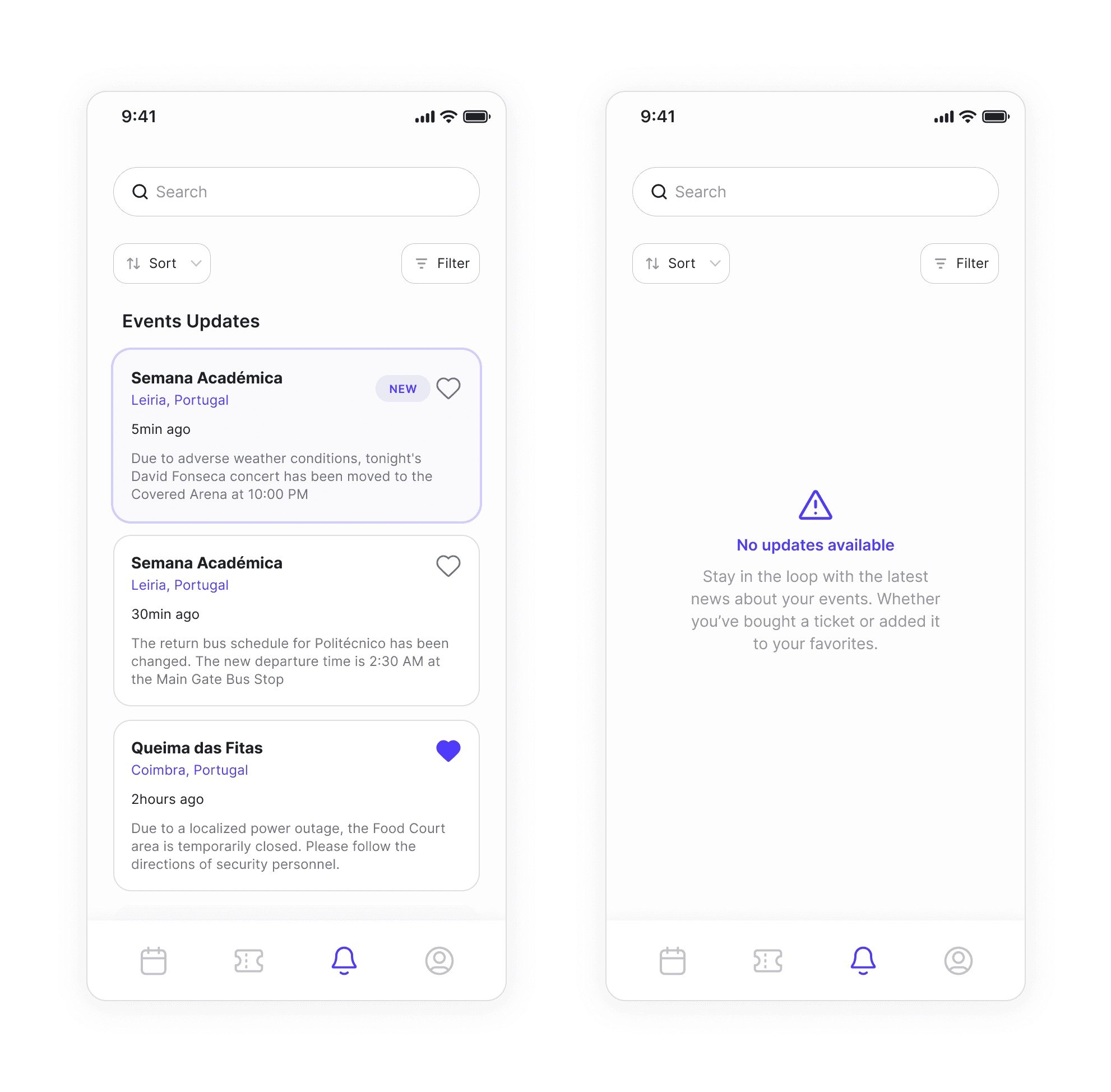
Updates are delivered through notifications, keeping users informed about event changes, reminders, or important news.
Notifications are prioritized and grouped to reduce overload, ensuring users see the most relevant and new updates first.
⚠️ Note: Redesigned this product a few years after its original launch to address issues in the first version. This showcase study reflects that redesign.