THE PROJECT
COUSE
COUSE
Plan Less. Experience More.
Eve is a mobile app designed to transform how students experience academic festivals by giving them instant access to real-time event information, artist lineups, schedules, and venue details: all in one place.
INSDUSTRY
Academic Events
DATE
May 2019
ROLE
UI/UX Designer
CHALLENGE
The challenge began with a fundamental question: how can we simplify students’ interactions with academic festivals and reduce the cognitive load caused by fragmented information? Students reported missing key events, struggling to find venues, and dealing with inconsistent updates across multiple platforms.
SOLUTION
The EVE Mobile App was created to provide students with a seamless way to engage with academic festivals. Unlike traditional event platforms, which often scatter information across websites, social media, and group chats, EVE centralizes event schedules, artist lineups, venue details, ticketing, and real-time updates in a single, easy-to-use interface.
My role as UI/UX Designer was to define the app concept, design the user experience, and develop a cohesive visual identity from the ground up, ensuring that students could effortlessly discover, plan, and attend events.
RESEARCH
AND INSIGHTS
To validate the problem and shape the solution, we conducted user research and market analysis. This included interviews with students who frequently attended academic festivals, as well as competitive analysis of existing event apps and platforms.
Discovery
Key insights revealed that students needed a central hub where they could quickly find event schedules, check ticket status, and receive real-time updates without switching apps. They also valued the ability to filter events by interest or time, and preferred simple, clear interfaces over visually cluttered layouts.
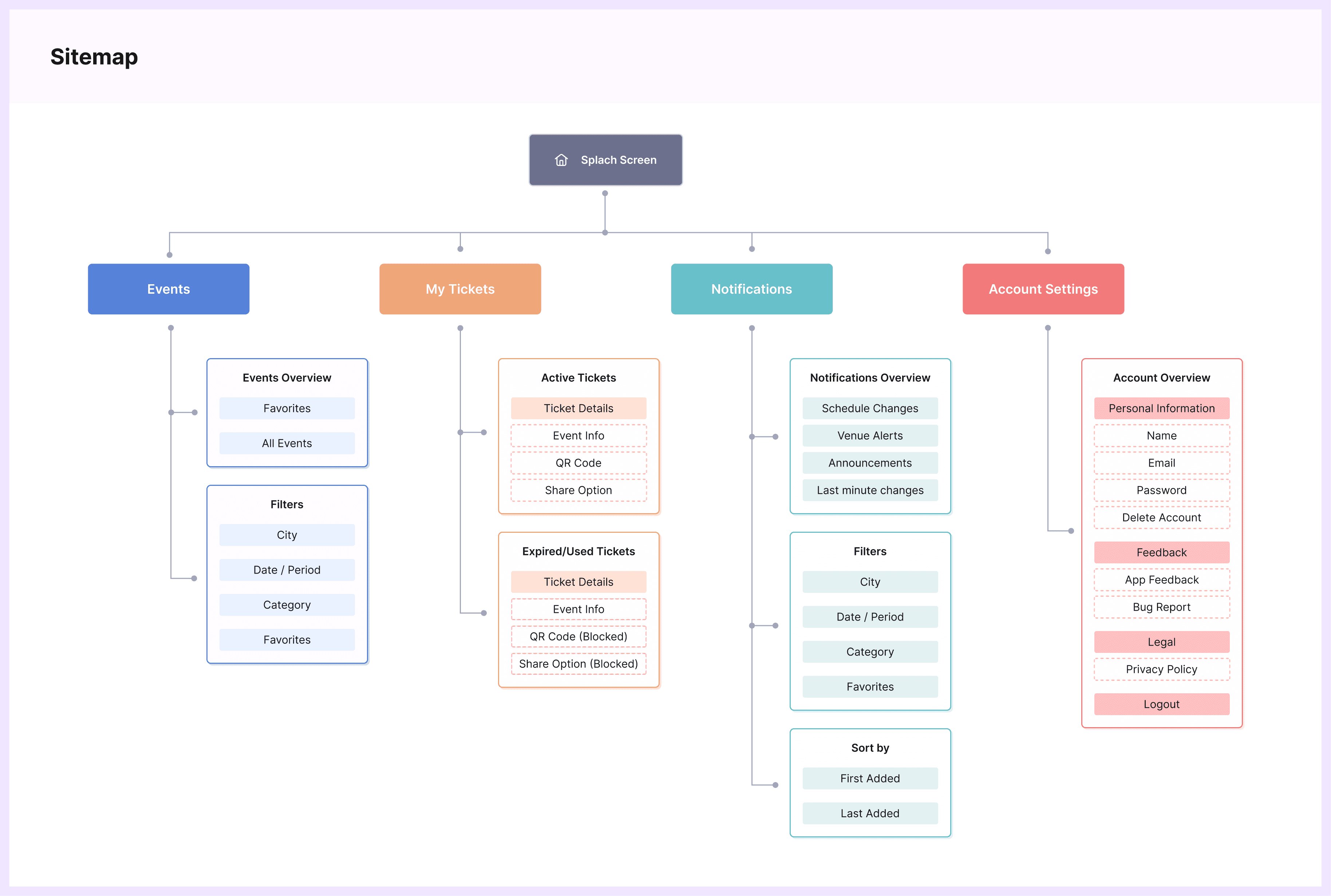
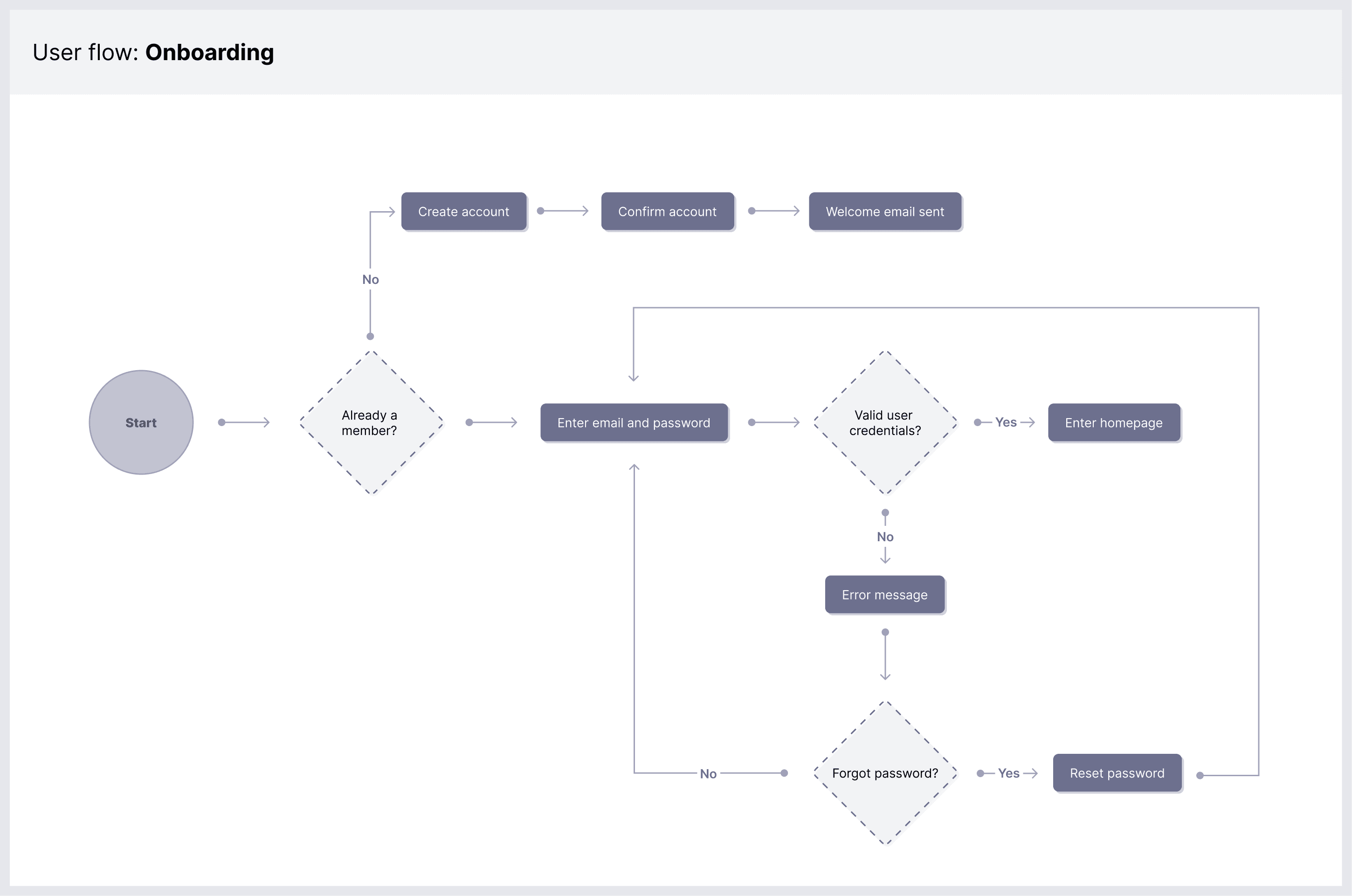
Based on these insights, I developed a sitemap and user flows to define the tasks that the app would need to address.
Wireframes & Prototyping
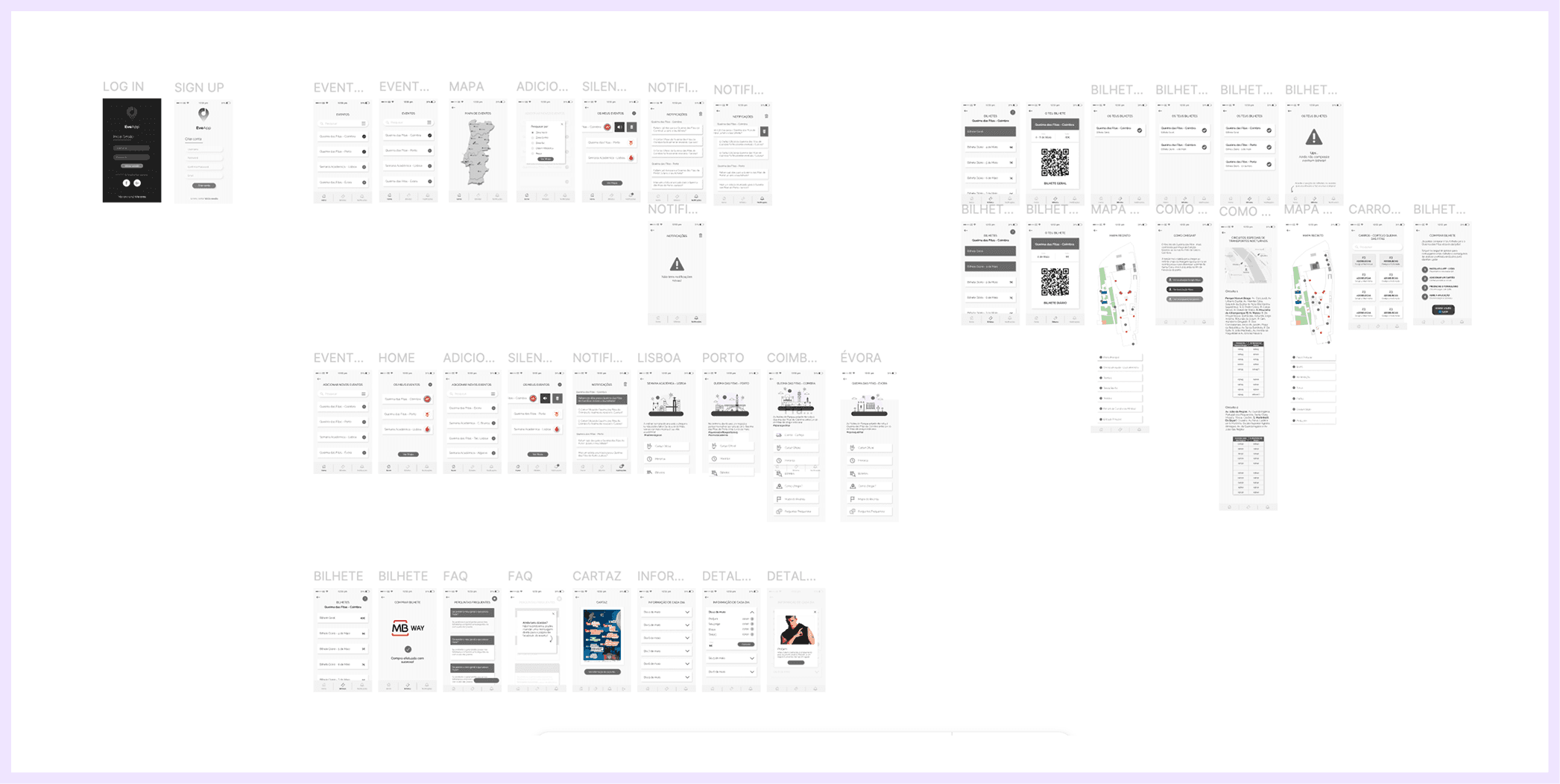
With research insights in hand, I began sketching low-fidelity wireframes to define the app’s structure and navigation. This stage allowed for quick iteration on flow logic without investing in visual design, ensuring that the core functionality worked before adding aesthetic elements.
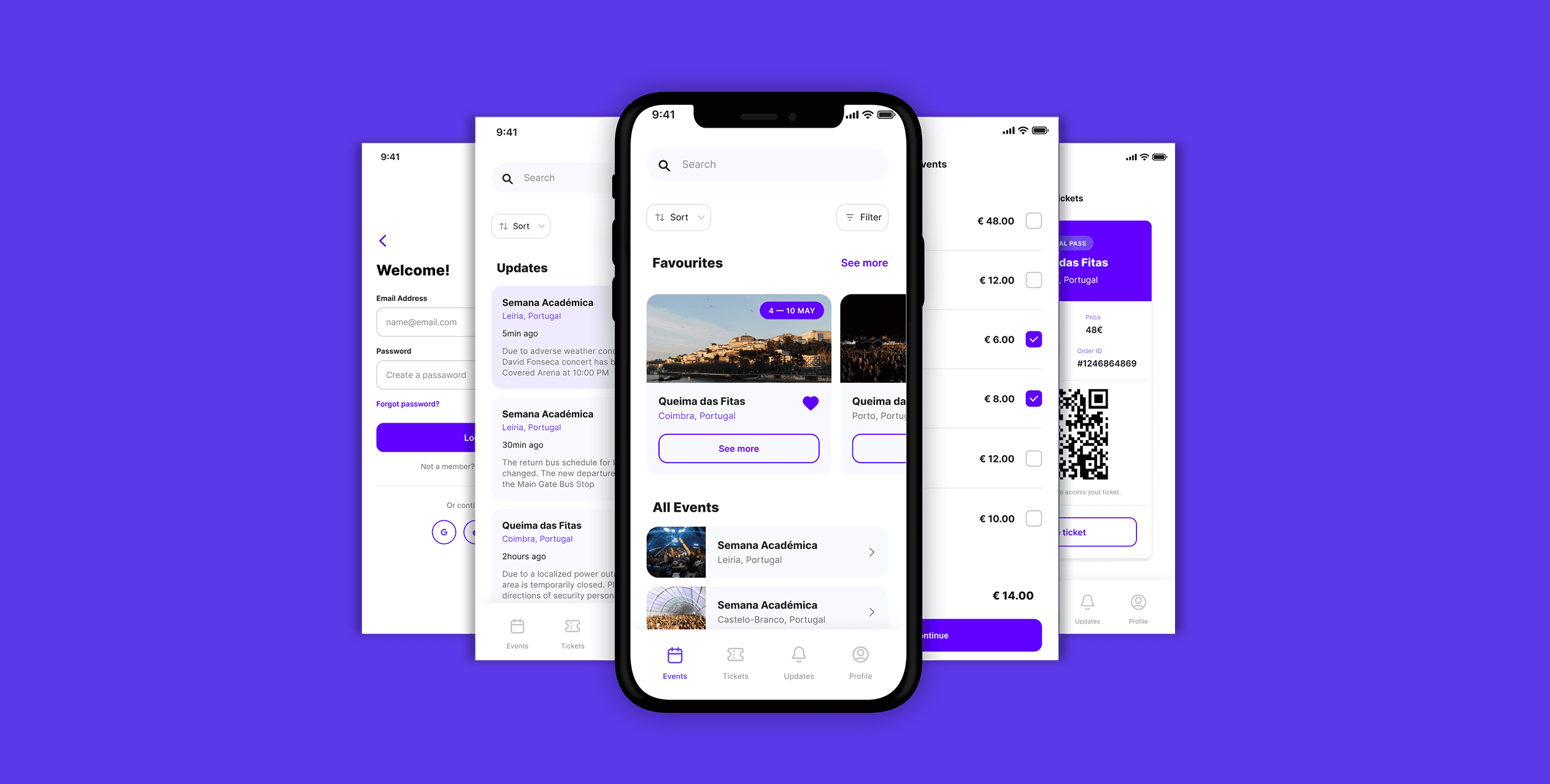
Once the wireframes were validated, I created high-fidelity interactive prototypes in Figma. This step included defining the visual identity, designing color palettes, typography, iconography, and micro-interactions to guide users naturally through the app.
Testing and Outcome
Through usability testing with students, we identified and refined issues in navigation, labels, and button placement, iterating until interactions felt intuitive and effortless.
After all this process, the result was the EVE Mobile App’s successful launch at the University of Coimbra’s Queimas das Fitas festival, where it achieved high adoption and engagement.
FEATURES
Events
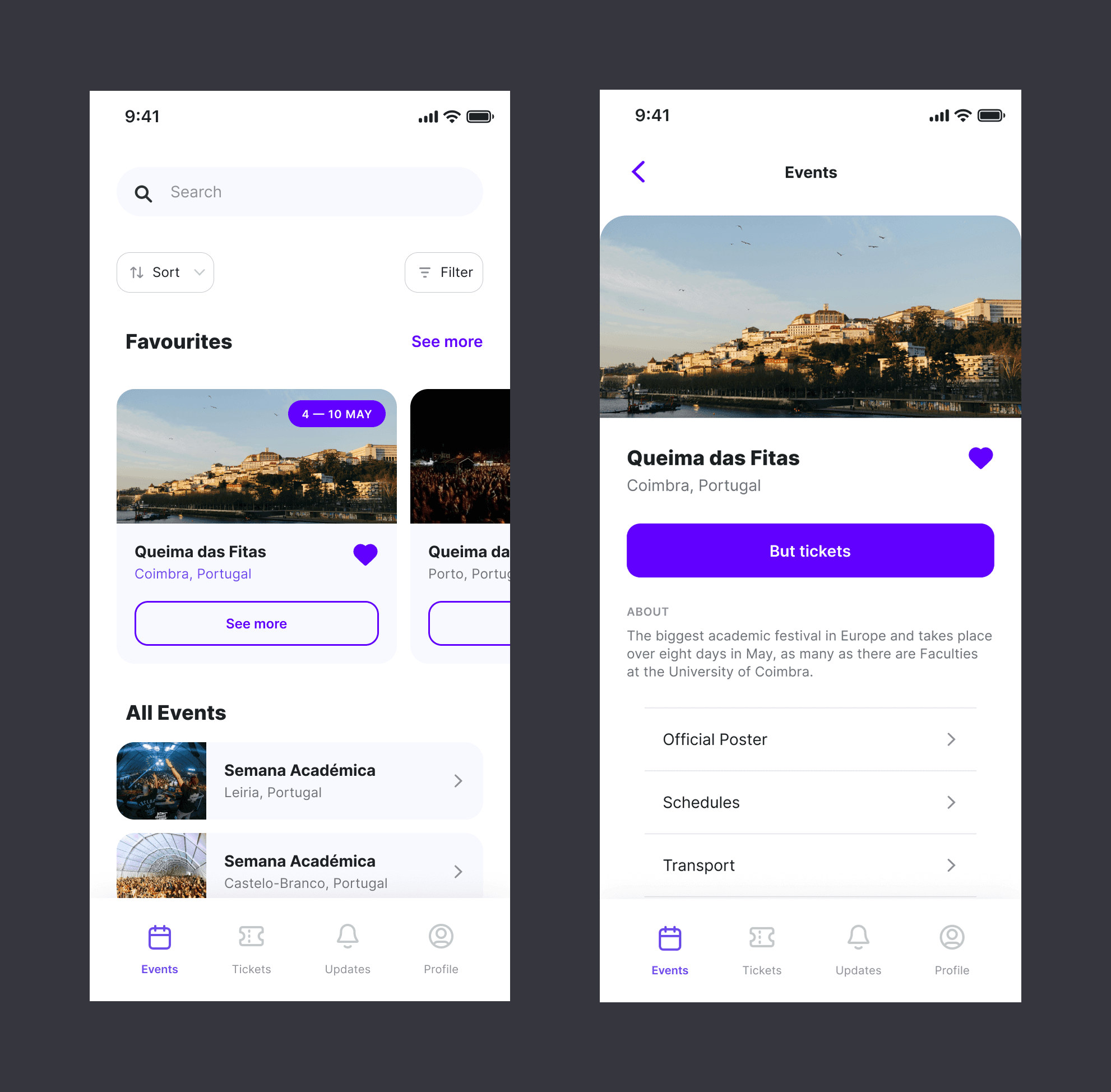
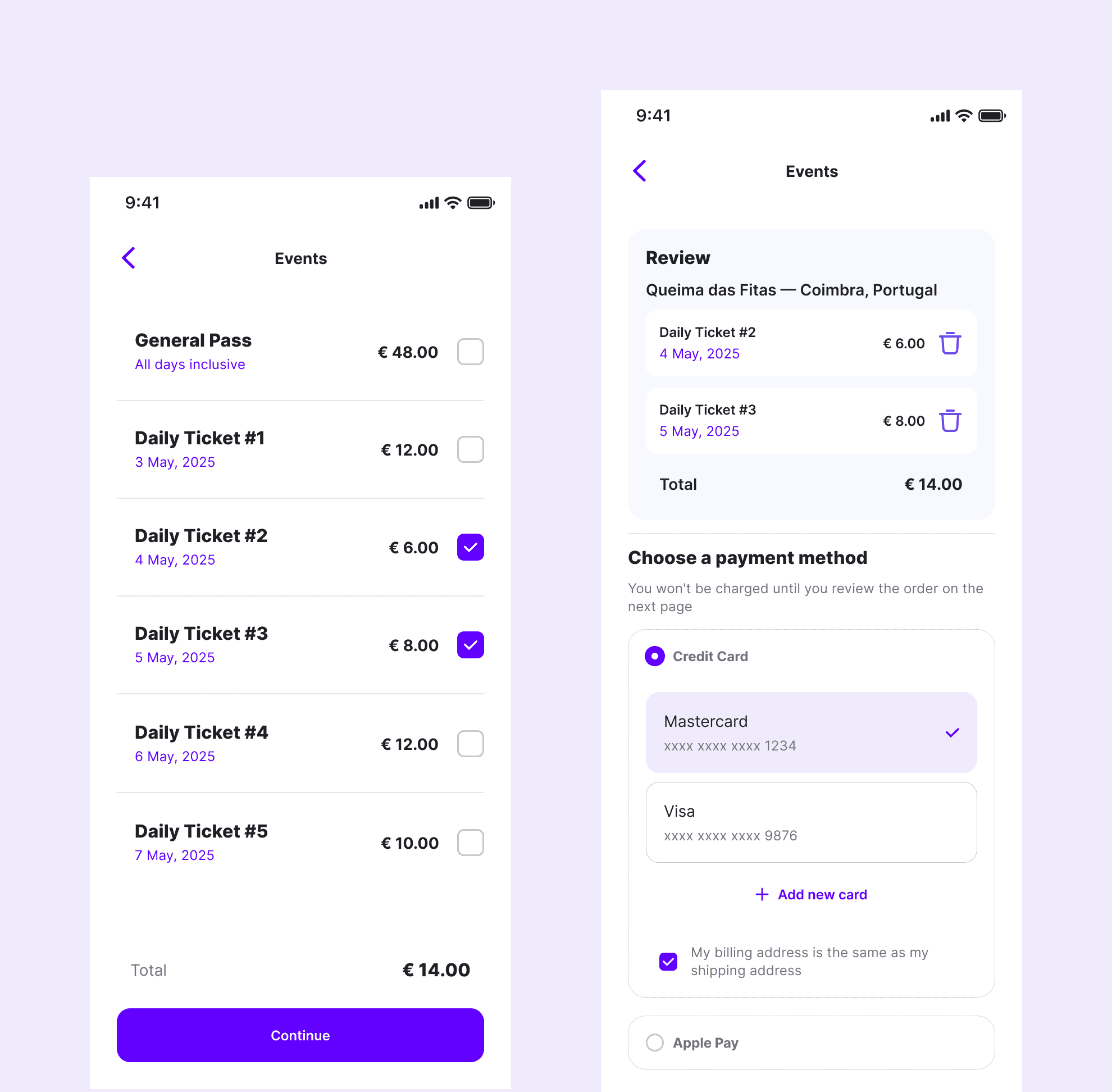
Users start in the Events tab, where they can browse all available events or see the ones they’ve favorited. They can filter events by city, time of year, and other criteria to tailor the experience to their preferences. Once they find an event they want to attend, they select it to proceed to ticket purchase.
Tickets
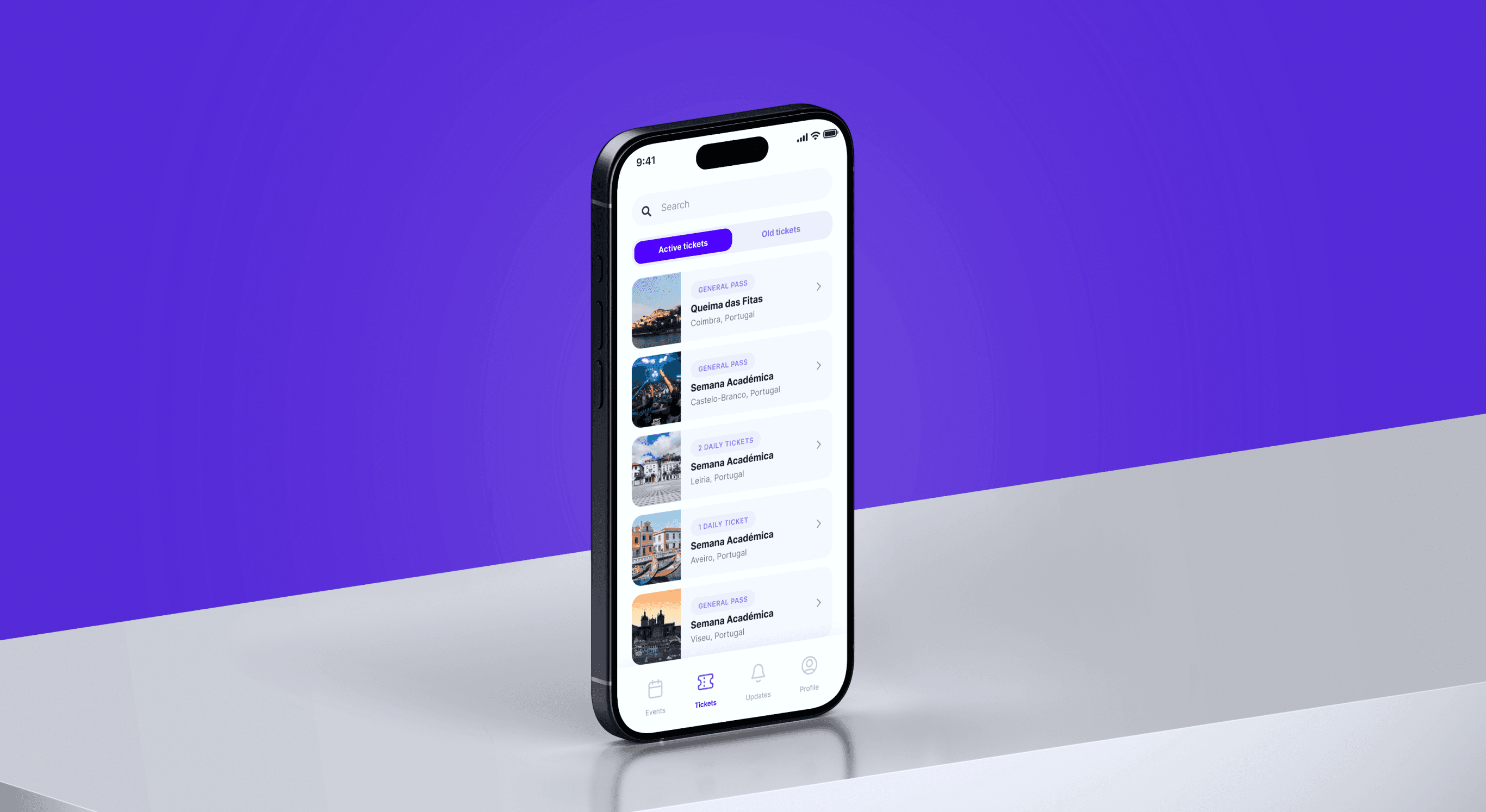
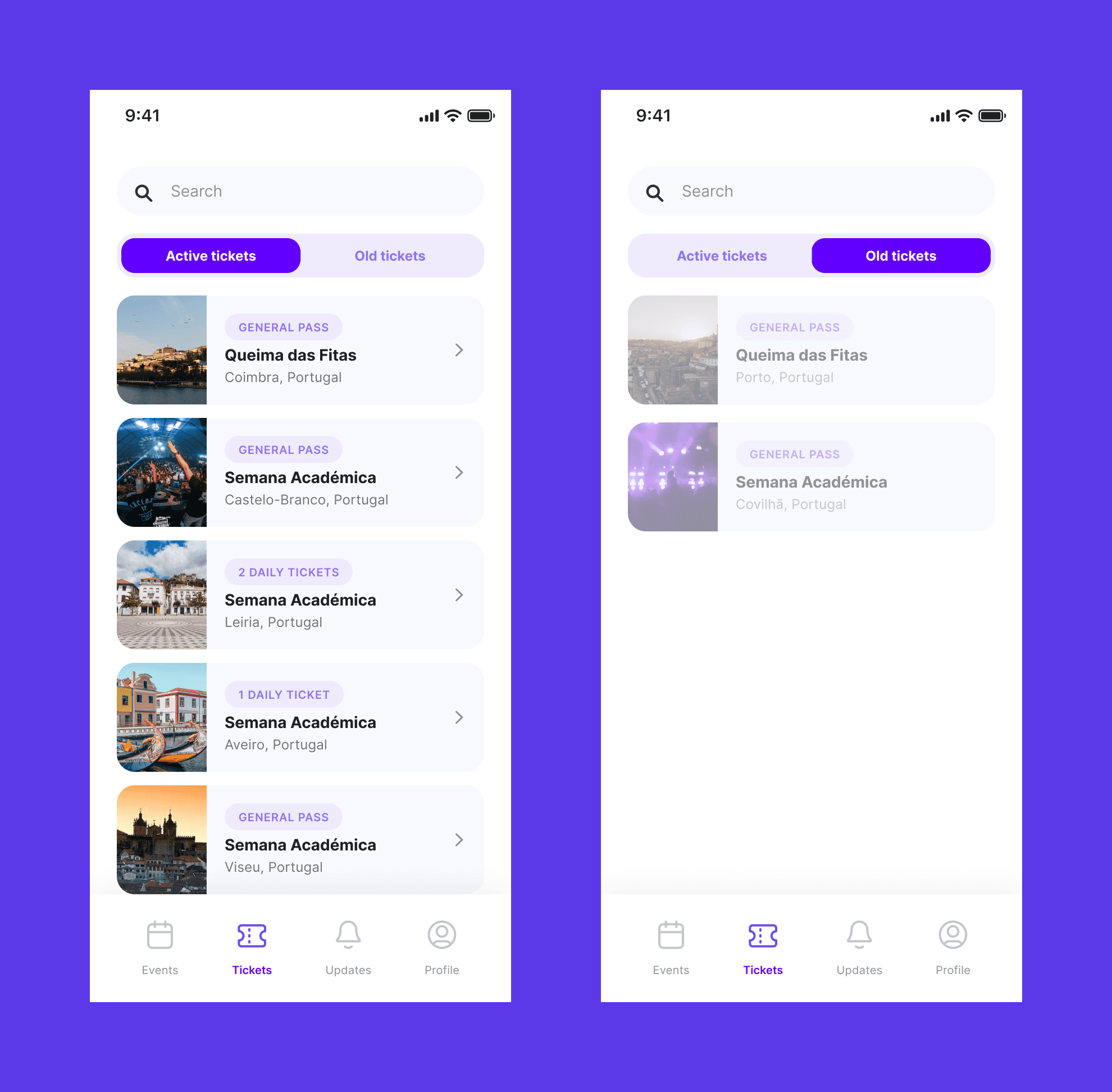
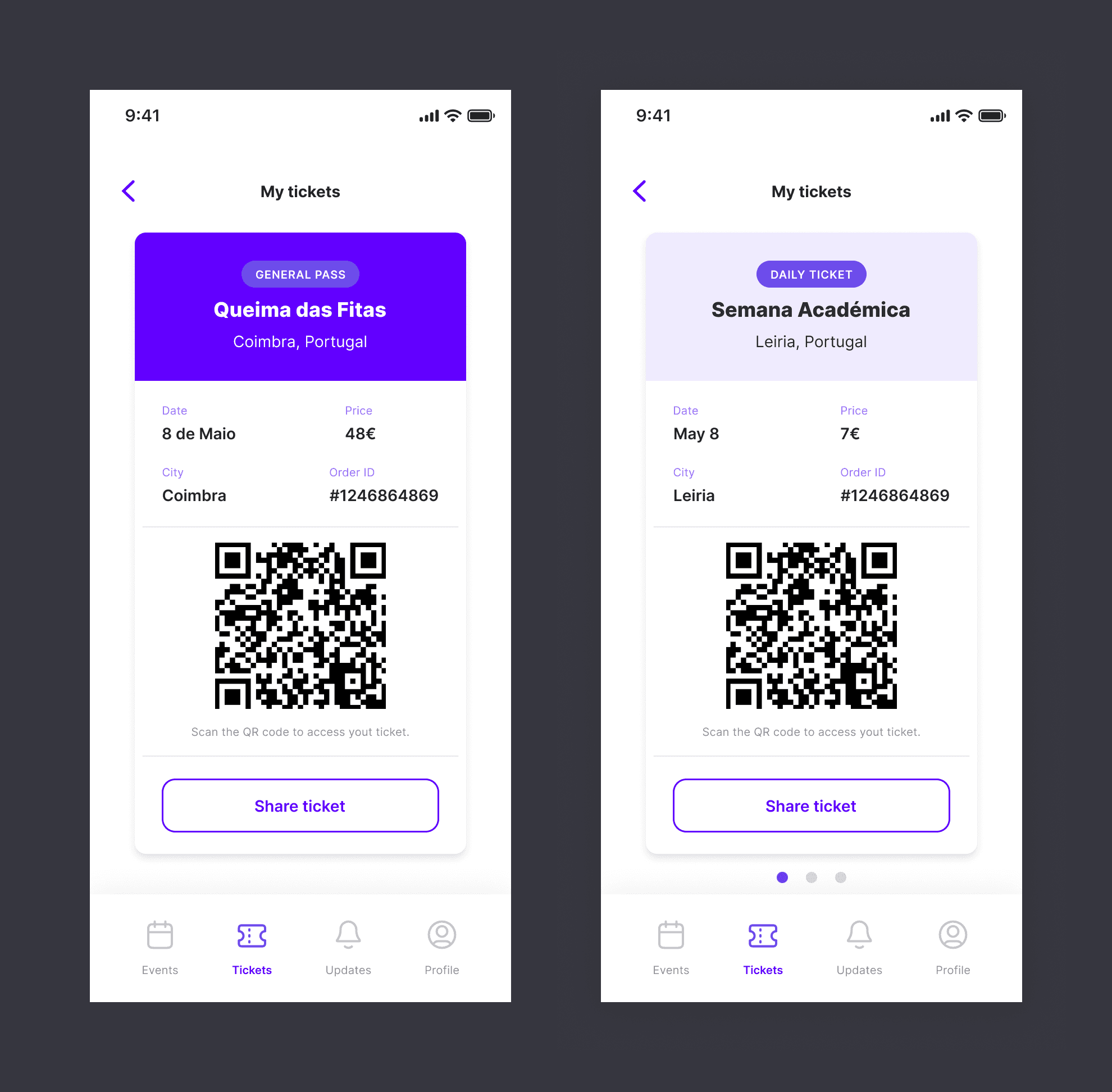
After purchasing, users can access their Tickets tab to view active tickets as well as tickets from past events. This is also where they validate their tickets when entering the festival.
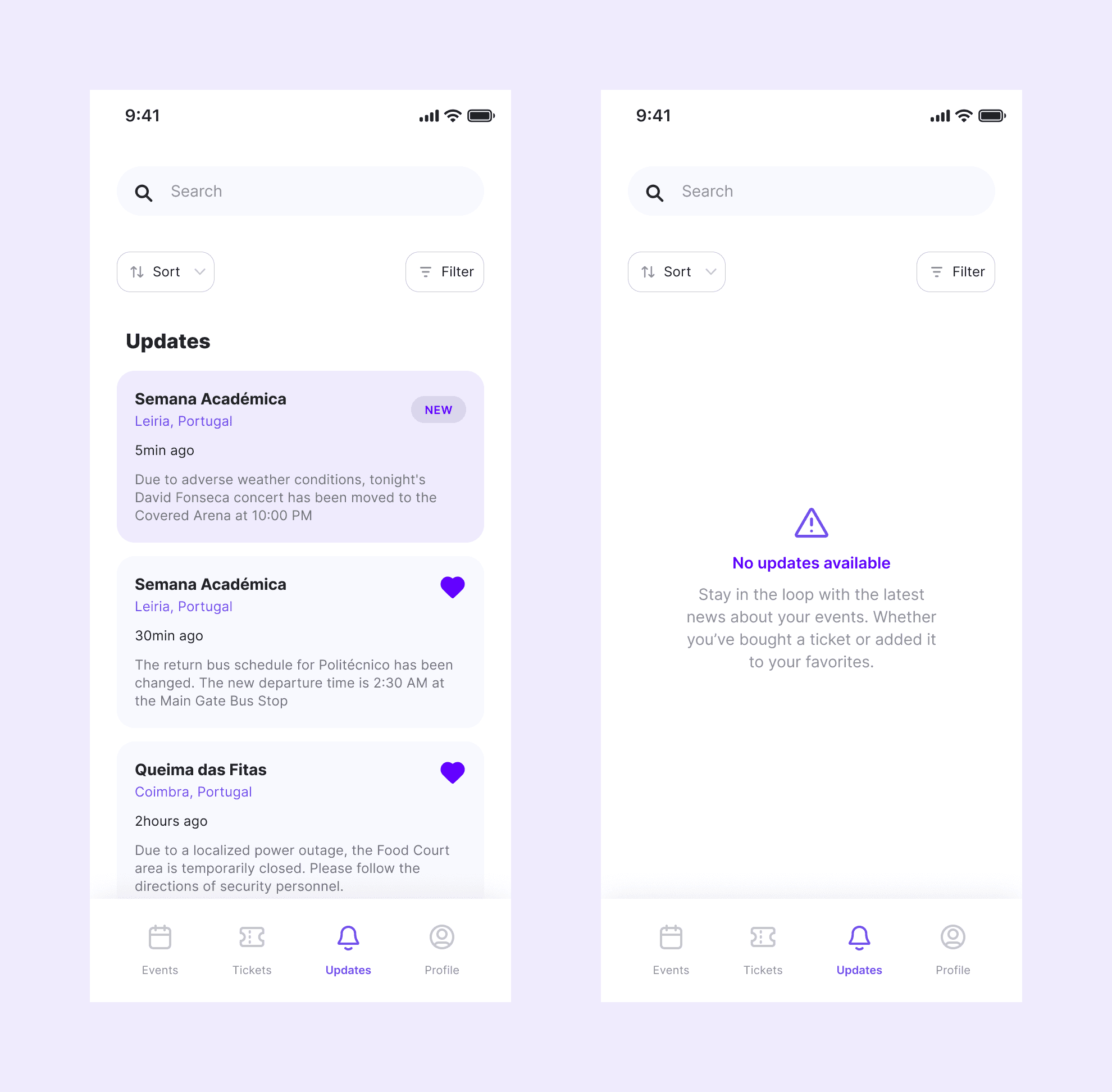
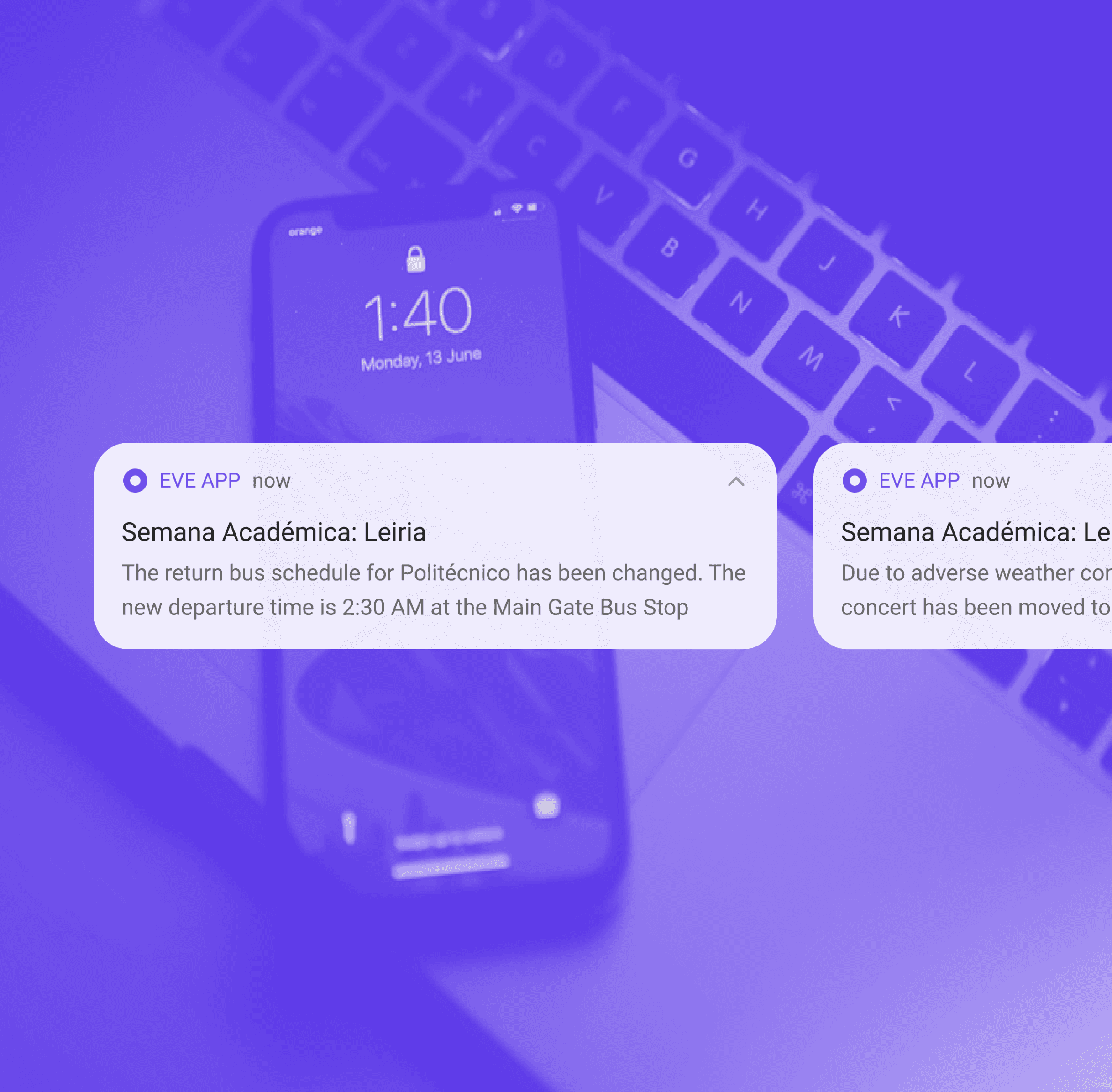
Notifications
After purchasing, users can access their Tickets tab to view active tickets as well as tickets from past events. This is also where they validate their tickets when entering the festival.